The client experience that closes more projects
A branded client portal, contextual discussions, automatic tasks from client actions, structured intake forms and a construction log that keeps the investor informed at every stage - the five tools that turn email-and-WhatsApp chaos into a professional flow clients quietly love.
14-day free trial · No card · Cancel anytime

Wall painting
5 March

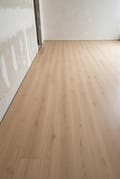
Floor panel installation
18 February

The armchair corner looks tight in the render. Could the wall move 40 cm? I'd like more room by the fireplace.

We can - that wall is not load-bearing. I'll update the plan and re-render this evening.

Indivi 3-seater sofa
Flowerpot VP1 pendant
The one place your client returns to
A branded, always-current view of the project - estimates, visuals, files, tasks, site updates - that your client can trust to be the real version. Not a cached PDF, not a forwarded link, not an email attachment from last Tuesday.
One link, full project
Estimates, renders, moodboards, files, construction log, tasks and discussions - all behind one link you never have to resend.
Always the live version
Update a render, adjust an estimate, upload a site photo - the portal reflects it instantly. Clients don't ask 'is this the latest?' anymore.
Your studio's logo on top
Add your studio's logo so the client portal looks professional and consistent with your brand - a clean, organised view instead of a raw tool.
Client-friendly by design
No training, no manuals. Grandmothers can navigate it. The UI is built for people who open it twice a month.
Arch. Kowalski replied to your comment on Floor tiles
Arch. Kowalski posted an alternative for Kitchen panels
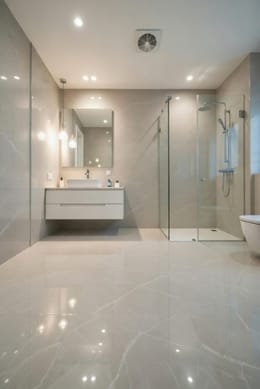
Riho Inspire freestanding bathtub
Master bathroom · Mokotowska 47/3
5 days ago
Foscarini Twiggy pendant lamp
Living room · Mokotowska 47/3
12 days ago
Survey - Individual Project
Mokotowska 47/3, Warsaw
27 z 36 pytań
Know the project before the first meeting
Structured questionnaires that collect preferences, constraints, budget and lifestyle in a format you can design from. No more three-email onboardings or Google Forms that need manual stitching.
Templates for real project types
Start from residential, commercial, renovation or new-build templates - or build your own from scratch for niche studios.
Conditional logic
The form adapts as the client answers. Couples without children don't see questions about kids' rooms; renters don't see load-bearing wall questions.
Image-based style capture
Clients mark what they like and what they hate on a curated set of reference images - giving you data, not adjectives.
Budget reality-check
Built-in prompts surface hidden assumptions ('do you know what a custom kitchen costs in your region?') before they derail the project.
A few questions before we sit down to design.
Comments that live with the thing they're about
Threads attached to specific renders, estimate lines, files and tasks - not floating in a chat window that nobody can search. The conversation stays where the work is.
Pinned to a specific element
A render, an estimate row, a file, a moodboard image - the thread lives there, not in a general-purpose chat stream.
Everyone sees the same context
Designer, architect, contractor, client - whoever opens the thread sees the item, the comment history and the current state in one view.
Searchable across the project
Find every discussion about a specific supplier, room or product with a single query. No more scrolling through Slack.
Resolves cleanly
Mark threads resolved once the question is answered. They collapse but stay accessible - history preserved, noise removed.

The armchair corner looks tight in the render. Could the wall move 40 cm? I'd like more room by the fireplace.
We can - that wall is not load-bearing. I'll update the plan and re-render this evening.
The task list nobody has to write
A task generates itself every time the project needs one. Rejections, alternative requests, unresolved comments - they all land in the same clean queue with the full story already attached.
Auto-generated from client actions
Client rejects a chair? Task. Asks for a cheaper alternative? Task. Leaves a comment on a render? Task. Your involvement: zero.
Context baked in
Every task shows the item, the visual, the comment and the previous decisions - not just a one-line title you have to decode.
One queue for the whole studio
Filter by project, room, assignee or deadline. The queue scales from a single freelancer to a full team.
Status syncs back to the project
Mark a task done and the related item, visual or estimate updates automatically - no double bookkeeping.

The site, visible from anywhere
A chronological record of the build, fed by phone from the site - photos, videos, voice notes, dated entries. Clients read it instead of asking. You keep a complete archive instead of WhatsApp scroll.
Captured from the site on a phone
Photos, videos, voice notes, short written updates - everything uploads straight from the site, no laptop required.
Chronological, searchable, dated
Every entry is timestamped. Filter by week, by room, by tag. Find proof of the waterproofing work in fifteen seconds, not fifteen minutes.
Client sees progress live
Updates surface in the client portal as they happen. No more 'how's it going?' messages - the client already knows.
Private and public entries
Some updates are for the client, some are for the team. Mark each entry accordingly and keep the right audience in view.
 8
8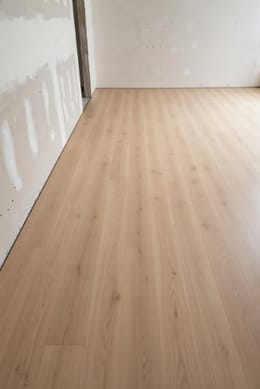 12
12
 6
6What if running the project felt as good as designing it?
14-day free trial · No card · Cancel anytime